Guide to Liquid Damage Treatment for Phones
A dropped phone can look fine for the first few minutes, then refuse to charge, lose its speaker sound, flicker, overheat or stop turning on altogether. This guide to liquid damage treatment explains what to do in those first critical moments, why common home fixes can make things worse, and when a professional repair is the safest move for your device and data.
Guide to liquid damage treatment: act fast, not forcefully
Liquid damage is not always instant failure. Water, soft drink, coffee, rainwater and seawater can enter through a charge port, speaker mesh, damaged screen seal or SIM tray. Once inside, moisture can bridge electrical contacts. As it dries, it may leave conductive residue behind and start corrosion on the logic board.
That delayed damage is the problem. Your phone might switch on after a splash, but charging it or carrying on as normal can push power through wet components. A repair that could have been straightforward can become a board-level fault, a failed display or a data recovery job.
The first priority is simple: stop power reaching the device.
Do this straight away
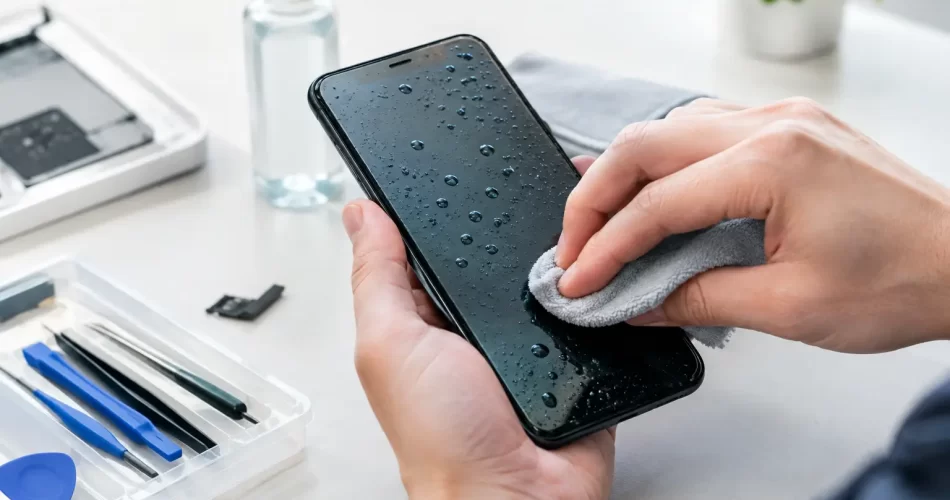
Turn the device off if the screen responds normally. Disconnect any charging cable, power bank, dock, headphones and accessories. Remove the case, then take out the SIM tray if your model allows it. Gently wipe the exterior with a clean, dry, lint-free cloth and keep the device upright with the charge port facing down.
If the phone is already off, leave it off. Do not keep pressing the power button to see whether it still works. Every attempt can send current through areas that have not dried properly.
For laptops, unplug the charger immediately. If it is safe to do so, shut it down, disconnect USB devices and place it in a tent position so liquid can drain away from the keyboard. Do not shake it hard. Liquid can move further across the motherboard and into the display.
Do not charge it, heat it or bury it in rice
Charging a wet device is one of the fastest ways to cause permanent damage. Modern iPhones, Samsung phones and many other devices may display a moisture warning when liquid is detected in the port. Treat that warning seriously. It is there to prevent corrosion and electrical shorts.
Avoid hairdryers, ovens, heaters and direct sunlight. High heat can damage batteries, warp adhesives, distort screens and drive moisture further inside. Compressed air is not a reliable fix either. It can force liquid into places it had not reached.
Rice is another popular myth. It does not remove residue from inside the phone, and loose dust can lodge in ports. Even if the outside feels dry, the liquid may still be trapped under shields or around connectors. Time spent waiting for rice to work is time for corrosion to continue.
The type of liquid changes the repair risk
Clean water is usually less aggressive than other liquids, but it can still cause serious problems if the device remains powered. Saltwater is particularly damaging because it is highly conductive and leaves corrosive deposits. A phone dropped at the beach, on a boat or near Darwin’s waterfront needs urgent attention.
Sugary drinks, coffee, beer and soft drink create a different issue. They leave sticky residue that can affect buttons, speakers, microphones and connectors long after moisture has evaporated. Pool water and cleaning products can also contain chemicals that attack metal contacts.
It depends on how much liquid entered, where it entered, how long the device stayed wet and whether it was charging at the time. A brief splash on an intact phone may only need careful drying and monitoring. A submerged phone, a wet laptop keyboard or a device exposed to saltwater should be professionally assessed as soon as possible.
Water resistance is not a repair guarantee
Many current phones carry an IP rating, but water resistance is not the same as waterproofing. Those ratings are tested under controlled conditions, usually with a new device and fresh seals. Everyday wear, a previous screen repair, a cracked back glass, a bent frame or age can reduce that protection.
Water resistance also does not mean protection from every liquid. Chlorinated pool water, seawater and drinks are not the same as the clean water used in manufacturer testing. If liquid has entered your device, do not rely on its IP rating as proof that no damage has occurred.
Watch for fogging in camera lenses, a muffled speaker, random touch input, charging issues, a dim or flickering display, battery drain and overheating. These are signs that moisture or residue may be affecting internal components. A device that repeatedly restarts, gets stuck in a boot loop or will not recognise the SIM card may have a deeper logic board fault.
What professional liquid damage treatment involves
Proper liquid damage treatment is more than leaving a phone in a drying cabinet. The device needs to be opened, inspected and assessed before corrosion spreads or hidden faults develop.
A technician will first check the device’s condition and identify obvious failure points, such as a damaged charge port, contaminated battery connector, wet display connector or corrosion around the logic board. The battery is disconnected before testing continues. Internal moisture indicators can help show where liquid has travelled, but they do not reveal every affected component.
The next step is targeted cleaning and corrosion treatment. Depending on the device and the extent of contamination, this can involve removing affected parts, cleaning board-level residue and inspecting connectors under magnification. For serious cases, advanced diagnostics and micro-soldering may be needed to repair damaged circuits, power lines or data-related components on the logic board.
Not every water-damaged device needs micro-soldering. Sometimes replacing a charge port, battery, screen, speaker or camera module is enough. The key is diagnosing the actual fault rather than replacing parts blindly. That keeps the repair cost realistic and gives you a clear picture of what is worth repairing.
Protecting your photos, messages and work files
For many people, the phone itself is replaceable. The photos, business contacts, study files, notes and authentication apps on it are not. If the device still powers on after exposure, resist the urge to use it for hours to back everything up. Continued use can turn an intermittent issue into a complete failure.
Tell the technician if data is your main priority. The repair approach may change when the goal is to get a device stable long enough to recover files rather than make it suitable for everyday use. This matters particularly with phones that will not boot, laptops with liquid-damaged motherboards and devices where the storage is encrypted and tied to the original logic board.
A replacement phone cannot automatically recover data that was only stored on the damaged device. In some cases, logic board repair is the only path to accessing it. That is why fast assessment is worthwhile, especially where there is no current cloud backup.
When to book a repair
Book a professional inspection promptly if the device was submerged, exposed to saltwater or a drink, was charging when it got wet, or is showing any new fault. You should also arrange an assessment if it appears to work normally but has a cracked screen, lifted display or damaged back glass. Liquid can enter more easily through those openings.
For Darwin customers, iSmashed can assess phones, tablets, laptops and other electronics with liquid damage, including devices needing board-level diagnostics, micro-soldering and data recovery. A fast diagnosis helps separate a repairable component fault from more extensive corrosion, without guessing or wasting money on unnecessary parts.
Do not delay because the device seems to have recovered overnight. Corrosion can progress gradually, especially in humid conditions, and the eventual fault may appear days or weeks later. Early treatment gives your device its best chance of a reliable repair.
After repair: reduce the chance of a repeat
Once your device is working again, check your backup settings and make sure important photos, files and contacts are syncing regularly. Use a protective case that does not trap moisture around the charge port, and avoid charging where drinks, wet benches or rain can reach the cable connection.
If a device has had liquid exposure before, keep an eye on battery performance, charging behaviour and unexpected heat. A properly repaired device can continue to serve you well, but any return of those symptoms deserves attention before it becomes a bigger fault.
The useful rule is not to panic, but not to experiment either. Power it down, keep it disconnected and get it assessed quickly. Fast action can protect the device you rely on and the data you cannot afford to lose.