Data Recovery Review Before You Hand It Over
A proper data recovery review starts before anyone touches the device. If your phone will not turn on, your laptop is stuck in a boot loop, or a hard drive has suddenly stopped appearing, the files may still be there. The wrong repair attempt, however, can turn a recoverable fault into permanent loss.
For most people, this is not about a few files. It is family photos, work documents, university assignments, customer records, messages, notes and the two-factor authentication details needed to access everything else. When a device fails, speed matters – but diagnosis matters first.
What a Data Recovery Review Should Actually Tell You
A useful review should give you a clear picture of the fault, the likely recovery path and the risks involved. It should not promise that every file can be saved before the device has been inspected.
The first question is simple: is this a software issue, a storage issue, or a hardware issue? A phone that powers on but cannot load past the Apple logo may have a damaged operating system, failed storage, a battery problem or a logic board fault. A Windows laptop that reports no bootable device may have corrupted files, a failing SSD, or a problem with the motherboard rather than the drive itself.
Those differences change the repair approach completely. Software corruption may allow files to be copied after stabilising the operating system. A damaged charging circuit may only need board-level repair so the device can power on long enough to access the data. A physically failed drive may require specialist recovery work, and in some cases the data cannot be recovered at all.
A technician should explain the likely cause in plain language. You should also know whether the goal is to restore the device to normal use, retrieve your files only, or do both. These are related jobs, but they are not always the same job.
The Key Checks Before Recovery Begins
Data recovery is often detective work. The device has to be assessed without taking unnecessary risks with the storage chip, drive or existing file structure.
For phones and tablets, the review should consider whether the device shows signs of life: vibration, charge response, screen activity, computer detection, sound, heat, or repeated restarting. Water damage needs extra care. Corrosion can continue spreading across a board even after the device appears dry, and applying power can worsen a short circuit.
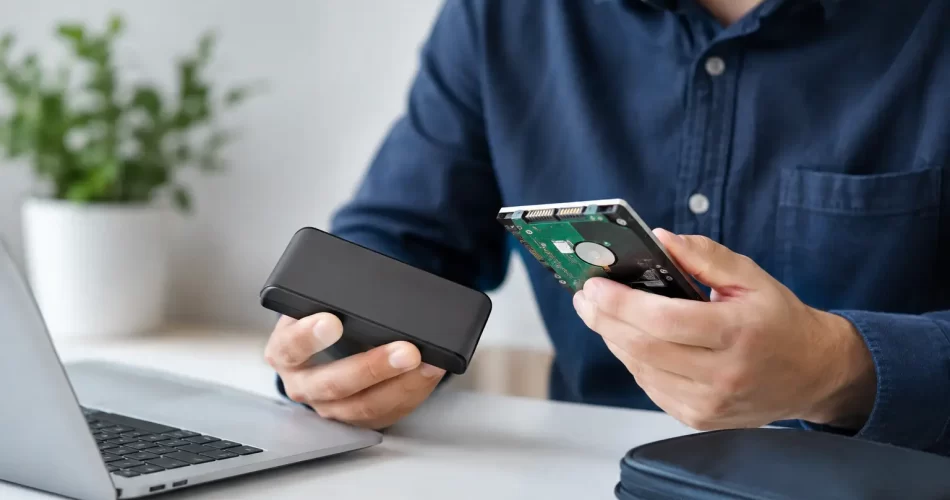
For laptops, desktop PCs and external drives, the technician will assess whether the drive is detected, whether it makes unusual noises, whether the system freezes during access, and whether there are file-system errors. Clicking hard drives, repeatedly disconnecting external drives and SSDs that vanish from a computer are all warning signs. Do not keep restarting or scanning a failing drive in the hope it will settle down.
A thorough assessment may include:
- checking power, charge and display faults that may be hiding an otherwise working device;
- testing storage detection and system boot behaviour without writing unnecessary data to the drive;
- inspecting for liquid damage, impact damage, bent connectors and previous repair damage;
- identifying motherboard faults such as failed charge ICs, backlight circuits, audio IC issues or storage-related faults;
- confirming whether encryption, passcodes or account access will affect what can be retrieved.
This is where advanced repair capability makes a real difference. A cracked screen is obvious. A phone that is completely dead but still contains irreplaceable photos may need micro-soldering and logic board diagnostics before any recovery can even begin.
Recovery Success Depends on the Failure Type
The best data recovery review is honest about probability. Some faults have a strong recovery outlook. Others carry real limits.
If the screen has failed but the phone is still operating, temporary screen replacement or display testing can give access to the data quickly. If a battery has failed, replacing it may be enough to bring the device back. If a charge port is damaged, the phone may simply need a reliable power connection before a backup can be created.
Water damage is less predictable. A device dropped in fresh water and powered off quickly can be very different from one that has been charged, heated or repeatedly switched on after exposure. Salt water, pool water and soft drink create additional corrosion risk. The faster the device is assessed, cleaned and stabilised, the better the chance of protecting both the board and the stored data.
Modern phones also use strong encryption. On many iPhones, Android devices and encrypted computers, the data is tied to the device’s original hardware and passcode. Removing the storage chip and placing it in another device will not usually provide access. In practical terms, recovery may require repairing the original logic board sufficiently to boot it and enter the correct passcode.
That is why a cheap replacement motherboard is not a data recovery solution. It may make the phone work again, but your original photos and files remain on the damaged board. If the data matters, say so before authorising a board replacement or factory reset.
Red Flags in Any Data Recovery Review
Be cautious if you are told the device needs to be reset before anyone has checked whether the files can be copied. A reset can be appropriate for some repair jobs, but it is usually the wrong first move when data is the priority.
The same applies to vague assurances. “We can definitely get everything back” is not a professional answer before diagnosis, especially after severe water damage, failed storage or physical drive damage. Good technicians are confident about their process, not reckless with promises.
You should also be wary of a repairer who only offers a standard part swap for a no-power device without discussing data. A new battery, screen or charging port can be sensible, but it should be based on testing rather than guesswork. Where the fault points to the board, proper diagnostics may save time and avoid paying for repairs that do not address the actual failure.
For small businesses, the review should go beyond the broken computer. Ask whether the files are held locally, in a cloud service, on an external drive, or in a business application. A machine may fail while the important records remain available elsewhere. Equally, a local desktop folder may contain documents that were never synchronised.
What You Should Do Before Bringing the Device In
Stop using the device if it is behaving erratically, has been exposed to liquid, is overheating, or is making mechanical noises. Continued use is one of the biggest avoidable risks with failing storage.
Do not install recovery apps, update the operating system, run repeated repair utilities or keep attempting a forced restart if the data is critical. Those actions can overwrite recoverable data, place more strain on a failing drive or make a board fault harder to diagnose.
If the device still works, back it up immediately. Copy the most important files first rather than waiting for a full backup to complete. Photos, work folders, accounting files, study projects and authentication details should take priority. If a phone can still unlock, make sure you know the passcode and bring it with you – it may be essential for accessing encrypted data after repair.
For a liquid-damaged phone, turn it off if possible and do not plug it in. Do not put it in rice. Rice does not remove corrosion under shields or connectors, and it can delay proper treatment. Bring it in for assessment as soon as practical.
Choosing a Local Recovery Repairer
The right repairer should be able to separate a routine issue from a board-level fault. They should explain what they are testing, what the next step is, and whether recovery is realistic before proceeding with major work.
In Darwin, iSmashed can assess phones, tablets, MacBooks, Windows laptops and other devices where data access depends on more than a simple parts replacement. This includes water-damaged devices, boot loops, no-power faults and logic board issues that may need micro-soldering before files can be retrieved.
Ask about turnaround, expected costs, whether there is a diagnostic fee, and what happens if recovery is not possible. It is also reasonable to ask how your privacy is handled. A professional repair process focuses on retrieving or preserving your data, not browsing through it.
When the device contains something you cannot replace, do not gamble on another restart or a quick DIY fix. Keep it powered down, keep the passcode available, and get a clear assessment before any repair work begins.