
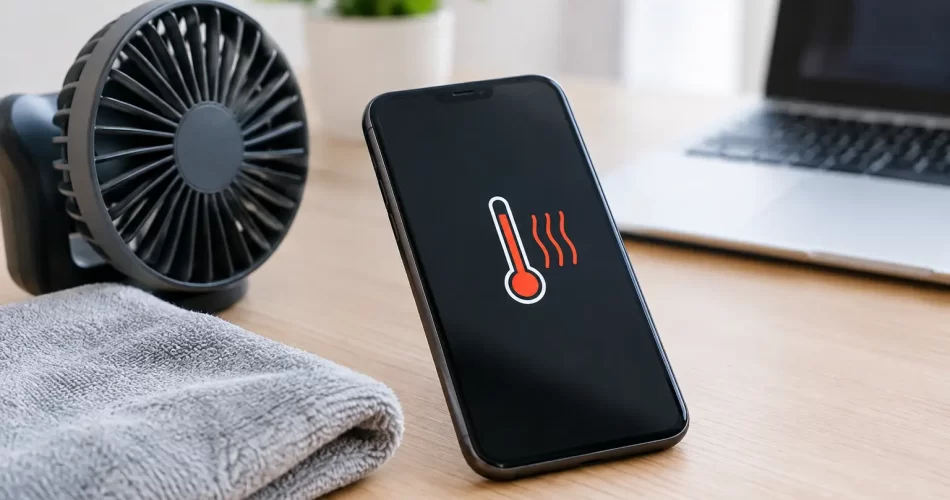
How to Fix Phone Overheating Without Risking Damage
Your phone is too hot to hold, the battery is dropping fast, and it has chosen the middle of a work shift, trip or school day to do it. Before you try to fix phone overheating with a freezer, wet cloth or random app, stop. Heat can be a normal response to demanding use, but it can also be an early warning of a failing battery, damaged charging system or logic board fault.
A phone that overheats once while navigating in the Darwin heat is different from one that becomes hot every time it charges or sits idle. The key is knowing which is which, then taking the right action before heat turns into battery damage, shutdowns or lost data.
First, cool the phone down safely
If the handset is hot enough to be uncomfortable, disconnect the charger and remove its case. Turn the screen off, close any demanding apps, and move it into a cool, shaded indoor spot. If it is extremely hot, power it down for 15 to 30 minutes.
Do not put it in a fridge, freezer or directly under cold running air. Sudden temperature changes can cause condensation inside the device, creating a second problem: liquid damage. Do not place it under a pillow, in a bag or on a car dashboard either. Heat needs somewhere to escape.
If you notice any of the following, stop using and charging the phone immediately:
- the screen or back cover is lifting or separating
- there is a chemical or sweet smell coming from the device
- the phone is swelling, hissing, smoking or too hot to touch
- it continues heating up while switched off
A swollen lithium-ion battery is not a DIY repair. Keep the device away from flammable materials, avoid pressing the screen or back glass down, and arrange professional assessment as soon as possible.
Why phones overheat in Darwin
Darwin’s heat and humidity can push a healthy phone beyond its comfortable operating temperature quickly. Direct sunlight, a hot car and outdoor navigation are common triggers. So are video calls, gaming, 4K recording, mobile hotspot use and poor signal areas where the phone works harder to stay connected.
That does not automatically mean the handset is faulty. If it cools down after you stop the demanding task and move out of the heat, the issue may be environmental. A thick case can trap more warmth, particularly during wireless charging or long gaming sessions, so taking it off can help.
Repeated overheating is different. A phone that gets hot on the lounge room table, during light messaging, or every time it is plugged in needs closer attention. Heat is often a symptom, not the actual fault.
Common causes of phone overheating
Charging faults and poor-quality accessories
A damaged cable, worn adapter or cheap unregulated charger can deliver inconsistent power and create excess heat. Dirt, pocket lint or corrosion in the charge port can also cause poor contact. The phone may repeatedly connect and disconnect, charge slowly, or become noticeably hot around the bottom edge.
Use a known-good, reputable charger and cable that suit your model. Check the port visually with a light, but do not force metal tools into it. A bent charge-port pin or liquid-damaged connector can require a proper repair, not more cleaning.
Wireless charging creates some warmth by design, especially with a case fitted. It should not make the device painfully hot or trigger constant temperature warnings. If it does, stop using the pad until the handset and charger have been checked.
A failing or damaged battery
Phone batteries wear out. As they age, their ability to hold and deliver power declines, which can increase heat under load. A device that loses charge quickly, shuts down at 20 or 30 per cent, gets hot while charging, or has a lifting screen may have a battery issue.
Battery condition can also worsen after a drop, water exposure or previous low-quality repair. Replacing a worn battery early can prevent further stress on the screen, charging circuit and logic board. Waiting until the battery swells risks cracking the display or back glass from the inside.
Apps, updates and background activity
An app stuck in a loop can keep the processor, GPS, camera or mobile data active long after you finish using it. This often happens after an operating-system update, an app update or a corrupted installation. Check your battery-use screen to see whether one app is consuming an unusual amount of power.
Close the app, update it, or uninstall and reinstall it if the problem began recently. Restart the handset and make sure the operating system is current. If the phone overheats only during one particular game, social app or video call platform, reducing graphics settings or limiting use may be the realistic fix.
Be cautious with so-called phone cooler and battery saver apps. They rarely repair a hardware issue. Some run continuously in the background and add to the load they claim to reduce.
Weak signal and network strain
When reception is poor, your phone repeatedly searches for a stronger connection. This can drain the battery and generate heat, especially while streaming, uploading photos or using hotspot. Test the device in a location with reliable Wi-Fi or better mobile reception.
If the heating occurs only in one area, signal conditions may be the cause. If it happens everywhere and the phone also drops service, shows no signal or struggles to find a network after a fall or water exposure, the fault could be with the antenna system or board-level circuitry.
Water damage and logic board faults
Liquid damage does not always make a phone fail straight away. Moisture can corrode connectors and components over days or weeks, leading to abnormal power draw, boot loops, charging issues and heat. Even a phone labelled water-resistant is not waterproof, particularly once it has been dropped, opened or aged.
Overheating after a liquid incident needs professional diagnostics. Charging a wet or corroded device can turn a recoverable issue into a serious logic board failure. If important photos, work files or messages are on the phone, avoid factory resetting it before a data recovery assessment.
Steps that can fix phone overheating at home
Once the device is cool and there are no signs of swelling or physical damage, work through the simple checks. Restart it first. Then update the operating system and high-use apps, remove a recently installed app if the timing matches, and check battery usage for unusual activity.
Try charging with a different quality cable and adapter. Charge in a ventilated indoor area, not in direct sun, under bedding or inside a vehicle. If the phone gets hot while fast charging, test a standard charger where supported. Fast charging naturally produces more heat, but it should not produce persistent warnings or extreme temperatures.
Reduce the workload for a day or two. Turn off hotspot, Bluetooth, GPS and background refresh when you do not need them. Lower screen brightness, avoid recording long videos outdoors, and download maps or media on Wi-Fi before travelling. These measures will not cure a failed component, but they can tell you whether demand is the trigger.
Back up your data while the phone is stable. Overheating can lead to unexpected shutdowns, and repeated shutdowns increase the chance of file corruption or a device that will not boot normally.
When to book a repair
You need more than settings changes if the phone overheats when idle, heats up during every charge, drains rapidly after a battery replacement, has been exposed to water, or displays a temperature warning repeatedly. The same applies if it cycles on and off, will not charge properly, or becomes hot in one specific area such as near the camera, charging port or motherboard.
A proper assessment checks more than battery health. It may involve testing the charge port, power-management circuit, wireless charging assembly, camera module and logic board for abnormal current draw. On advanced faults, micro-soldering and board-level diagnostics can be the difference between replacing a device and recovering it.
For Darwin customers who need their phone back quickly, iSmashed can assess overheating faults across Apple and Android devices, from straightforward battery and charge-port repairs to water-damage treatment and logic board repair. Many common repairs can be completed quickly, with a clear 3-month parts warranty on eligible work.
Treat repeated heat as a reason to act, not something to live with. A cool phone is safer, lasts longer and is far less likely to let you down when you need it most.