Smartphone Repair Mistakes That Cost You More
A cracked screen at 7am, a phone that will not charge before a shift, or an iPhone stuck on the Apple logo can make anyone want the quickest possible fix. That is when smartphone repair mistakes happen. The wrong cable, the wrong part, or one rushed DIY attempt can turn an affordable repair into logic board damage, lost data, or a device that cannot be economically repaired.
A professional repair is not always the cheapest option at first glance. But it should identify the actual fault, use suitable parts, protect the device during the job, and stand behind the outcome. If your phone runs your work, study, banking, travel plans, or family life, that difference matters.
Smartphone repair mistakes to avoid
Assuming every fault needs a screen replacement
A black display does not automatically mean a broken screen. The phone may have a flat battery, a damaged charge port, a failed backlight circuit, a loose display connector, or liquid damage affecting the board. On some models, the device may still be running even though the screen is not producing an image.
Replacing parts without diagnosis is a common way to waste money. A new screen will not fix a charge-management fault or a backlight failure. Likewise, a battery replacement will not solve a phone that is not charging because lint, corrosion, or damaged pins are blocking the port.
Ask for a proper assessment before approving a repair. This is particularly useful after a hard drop, exposure to water, or a previous unsuccessful repair. The visible damage is not always the whole problem.
Choosing the lowest quote without asking what is included
A very cheap repair quote can be tempting when you need your device back fast. The trade-off is often part quality, workmanship, testing, or after-repair support. Not all replacement screens have the same brightness, touch response, colour accuracy, durability, or fit. Not all batteries deliver the expected capacity either.
Price should be clear, but it should not be the only question. Find out whether the quote includes the part, labour, diagnostics, testing, and warranty. Ask whether Face ID, fingerprint recognition, cameras, speakers, charging, proximity sensors, and wireless charging will be checked where relevant.
There are situations where a lower-cost aftermarket screen is a sensible option, especially for an older handset. There are also cases where better-quality parts are worth it, such as a phone you rely on every day or a newer device you plan to keep. A good repairer explains the options rather than pushing one answer for every customer.
Trying a repair with the wrong tools
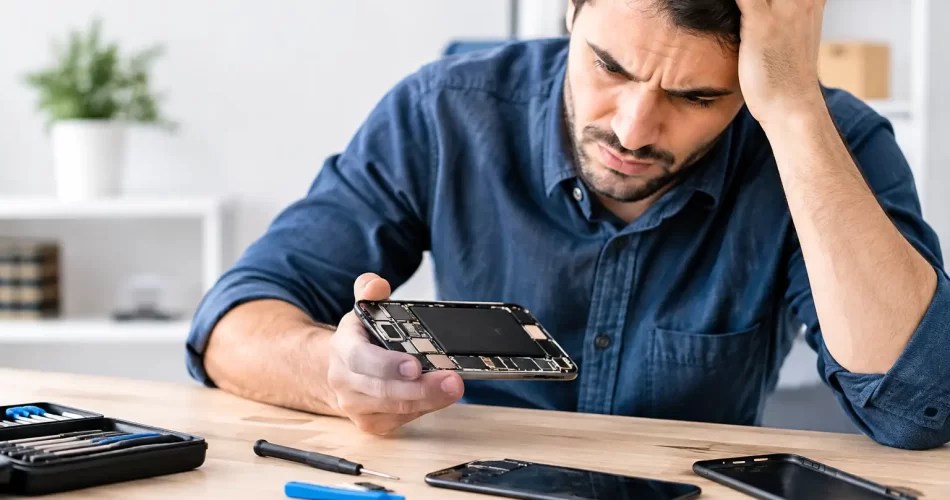
Online repair videos can make a screen swap look straightforward. They rarely show the seized screws, hidden adhesive, delicate flex cables, or the moment a screwdriver slips into a battery. Modern phones are tightly packed and increasingly difficult to open without specialist tools and controlled heat.
Common DIY damage includes stripped screws, torn display cables, punctured batteries, damaged water seals, broken camera modules, and pry damage around the frame. On iPhones and many Android devices, an incorrectly transferred component can also affect features such as Face ID, fingerprint scanning, True Tone, or automatic brightness.
The biggest risk is assuming the job is reversible. A cracked screen is usually repairable. A damaged connector on the motherboard may require micro-soldering, and in some cases the repair cost rises quickly. If you do choose to attempt a minor fix yourself, stop immediately if a screw will not move, the battery looks swollen, or the phone gets hot.
Do not ignore water damage just because the phone works
A phone dropped in water may appear fine for hours or days. That does not mean it is safe. Moisture can begin corroding connectors and components inside the device, causing later issues with charging, microphones, cameras, display touch, Wi-Fi, or booting.
Rice does not remove corrosion or clean the board. It can also leave dust in the charge port. Heating the device with a hair dryer is another bad move because heat can push moisture further inside, damage adhesives, and stress the battery.
Turn the phone off if possible. Do not charge it. Remove the case and SIM tray, gently dry the exterior, and arrange an inspection as soon as practical. Fast treatment gives data recovery and board repair the best chance. Waiting until the phone will no longer switch on can make the job more complex.
Continuing to charge a wet or damaged phone
Charging is where a manageable liquid incident can become a serious electrical fault. Power running through moisture or corrosion can short components on the charge circuit or logic board. The same goes for a charge port packed with lint, bent pins, or visible corrosion.
If charging only works when you hold the cable at an angle, do not force it. Repeatedly pushing a cable into a damaged port can break internal connections and increase the repair required. A charge-port clean may be enough, but a worn or corroded port may need replacement. Diagnosis decides which one.
Skipping a backup before repair
Most reputable repair work is designed to preserve your data. Still, any device with water damage, boot loops, storage faults, or logic board problems carries an increased risk of data loss. Repair may be necessary to access the data at all, but there is no responsible way to promise recovery before the condition of the device is known.
Back up a working device before handing it over. Use your preferred cloud backup and, where possible, create an encrypted computer backup too. Check that your photos, contacts, messages, authentication apps, and work files have actually synced. Many people discover too late that their last backup was months old.
If the phone will not turn on, do not erase it or repeatedly attempt updates without advice. A failed update can sometimes be fixed, but restoration options may remove data. Tell the technician clearly if the data matters more than the handset itself. That changes the repair approach.
Giving access away without preparing the device
A technician may need your passcode to test functions after a screen or battery repair. That does not mean you should hand over every account password or leave banking apps wide open without thought.
Where the device is functioning, back it up, remove payment cards if you prefer, and use any available repair or maintenance mode. Keep your SIM with you if it is not needed for testing. If you need to provide a passcode, change it after the repair is complete.
Be wary of anyone who asks for your Apple Account, Google account, email password, or two-factor authentication codes without a clear technical reason. Account credentials are different from a device passcode. A professional repairer should be transparent about what access is required and why.
Ignoring warning signs after a drop
Some faults develop slowly. A phone can survive the initial impact yet show symptoms days later as a weakened solder joint, battery connection, camera stabiliser, or display component fails.
Pay attention if you notice four common warning signs:
- the battery drains unusually quickly or the phone becomes hot;
- the screen flickers, shows lines, ghost touches, or has dark patches;
- cameras will not focus, rattle, or display a black image;
- charging becomes intermittent, audio cuts out, or the phone restarts by itself.
Do not keep pressing the phone into service until it fails completely, especially if it is overheating or the battery is swelling. A swollen battery needs prompt attention. Stop charging it, avoid putting pressure on the screen or rear housing, and keep it away from heat.
Using a repairer without a clear warranty
Repairs can involve parts that fail prematurely or underlying damage that only becomes obvious during testing. A warranty does not mean every fault is covered forever, particularly if the phone is later dropped, bent, or exposed to liquid. It does mean the repairer is prepared to deal fairly with an issue related to the work completed.
Before booking, ask what warranty applies to the part and labour, what it covers, and how to return if there is a problem. Clear answers are a good sign. So is a repairer that records the device condition and explains any existing faults before starting.
For Darwin customers, iSmashed handles everyday screen, battery, and charge-port repairs alongside water-damage treatment, data recovery, micro-soldering, and logic board diagnostics. That broader capability matters when the obvious fault is only part of the story, and repairs are backed by a 3-month parts warranty.
Your phone does not need to be written off because it is cracked, wet, flat, or refusing to boot. Make the safe call early, protect your data where you can, and get the fault checked before a small problem becomes an expensive one.