
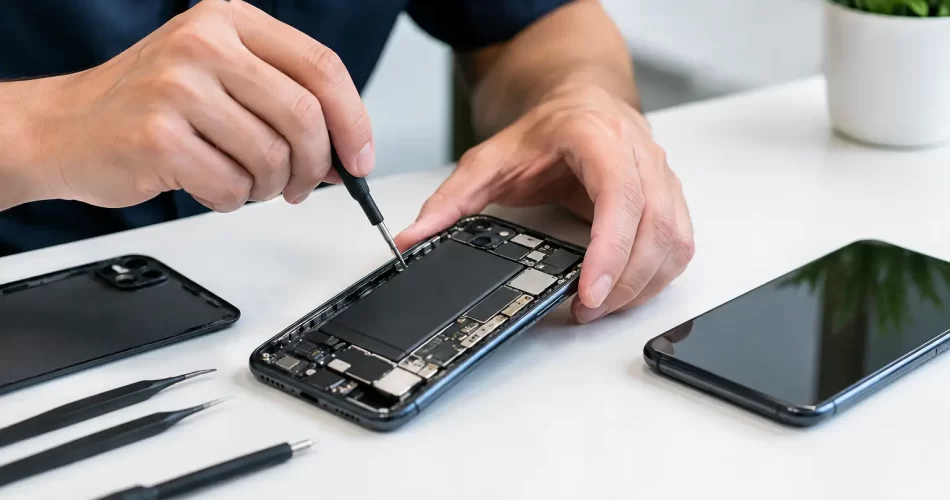
Android Repair Review: What a Good Fix Looks Like
A cracked Samsung screen before a shift, a Google Pixel stuck in a boot loop, or an Android phone that will not charge can stop the day quickly. This Android repair review explains what separates a proper repair from a short-term patch, so you can choose a service that gets your phone back to work without creating the next fault.
Android devices are not all built the same. Screen assemblies, battery layouts, charge ports, water-resistance seals and software behaviour vary sharply between Samsung Galaxy, Google Pixel, OPPO, Motorola and other models. A good repairer identifies the actual failure before quoting a fix. Replacing parts until something works is not diagnosis.
What an Android repair review should assess
The first test is simple: does the repairer listen to the symptoms? A phone that will not charge may have lint packed into the port, a worn charging cable, a damaged port, a failed battery or a logic board fault. Those issues need very different solutions and prices. A clear assessment protects you from paying for a replacement part that was never necessary.
The same applies to broken screens. A visible crack does not always mean the display itself has failed. If touch still responds and the image is clear, the repair may be straightforward. If the screen is black, flickering, showing green lines or reacting to touches by itself, the display assembly is likely damaged. On some models, the fingerprint sensor is integrated with the display and must be tested after installation.
A useful quote explains what is being repaired, what part quality is being used and whether the price includes fitting and testing. It should also make clear if a device needs further inspection before a final price can be confirmed. Water damage, previous repair attempts and bent frames can turn an apparently routine job into a more involved repair.
Fast turnaround matters, but testing matters too
Same-day Android repair is valuable when your phone handles your roster, banking, work calls, maps and family messages. For common screen, battery and charge-port jobs, a fast turnaround can be entirely reasonable. Many repairs can be completed in under an hour when the correct part is available and there is no hidden damage.
Speed should not mean skipping checks. After a screen replacement, the repairer should test touch response, brightness, cameras, proximity sensor, earpiece, loudspeaker, charging, mobile signal and fingerprint function where applicable. After a battery repair, they should confirm the phone charges normally and does not restart under load.
For busy Darwin customers, convenience is part of the repair quality too. An in-store option is useful when you are in the CBD, while a come-to-you service can make more sense if you are working, studying, caring for children or unable to leave the office. The best option depends on the job. Board-level faults and water-damaged devices may need workshop equipment and longer testing, while a standard screen replacement can often be handled much faster.
Android screen repairs: more than fitting new glass
A quality Android screen repair restores more than appearance. The replacement needs to sit flush, respond accurately across the full panel and display colours and brightness consistently. Cheap or poorly matched screens can look washed out, drain the battery faster, feel slow to touch or leave gaps around the frame.
Parts quality is a trade-off worth discussing openly. Premium display assemblies generally give the closest result to the original screen, particularly on OLED-equipped Samsung Galaxy and Google Pixel phones. Compatible options may reduce the upfront cost on suitable models, but may not match the original in brightness, refresh rate, colour accuracy or fingerprint performance. Neither choice is automatically wrong. The right choice is the one explained clearly before work begins.
Frame condition also matters. A phone dropped hard enough to crack the screen may have a bent housing. If that frame is not addressed, a replacement screen can sit under pressure and become more vulnerable to cracking. An experienced technician checks the frame rather than simply bonding a new panel over the problem.
Battery and charging faults need accurate diagnosis
A battery that drains early, overheats, shuts down at 20 per cent or takes hours to charge is frustrating, but the battery is not always the cause. Background software activity, a failing charge port, water exposure and a damaged charging flex can produce similar symptoms.
Battery health declines over time, especially in phones used heavily in heat. Darwin conditions can be tough on devices left in hot cars, used outdoors or charged under pillows overnight. A replacement battery can bring back reliable all-day use, but it should be fitted carefully and tested for normal charging behaviour afterwards.
Charge-port repairs need the same care. USB-C ports collect compacted dust and can wear from repeated cable movement. Sometimes professional cleaning is enough. If the port is loose, only charges at an angle or disconnects repeatedly, replacement may be needed. A proper repair also checks the cable, charger and charging circuit, because a new port will not fix a board-level charging fault.
Water damage: act early and avoid false fixes
If an Android phone has been exposed to water, turn it off if possible and do not plug it in. Charging a wet device can cause a short circuit that turns a recoverable issue into a failed motherboard. Do not rely on rice. It does not remove corrosion from connectors or components, and it can leave dust in the charge port.
Water damage needs inspection, internal cleaning and corrosion treatment as soon as practical. The outcome depends on what liquid entered, how long it remained inside and whether power was applied afterwards. Plain water is not harmless once minerals begin corroding contacts. Salt water, soft drink and pool water are more aggressive.
This is where advanced repair capability counts. If corrosion has affected the charging circuit, backlight circuit, audio IC or power-management components, the job may require microscope work and micro-soldering rather than a simple parts swap. There is no honest guarantee that every liquid-damaged phone can be saved, but early professional assessment gives the device and your data the best chance.
When an Android fault is really a logic board fault
Some failures point beyond the screen, battery or port. A phone that loops on the start-up logo, cannot detect a SIM, has no sound on calls, loses Wi-Fi, overheats while idle or will not power on may have a motherboard-level issue. Software problems can cause some of these symptoms too, which is why diagnosis comes first.
Board-level repair is especially valuable when the data on the phone matters. A factory reset may help a software fault, but it can erase photos, messages and files if they have not been backed up. If the phone will not boot and the data is important, ask about recovery options before authorising actions that could wipe it.
Micro-soldering and logic board repair are specialised work. They require controlled heat, proper tools, experience reading fault behaviour and careful testing. They are not always the cheapest route, and they are not always economical on an older handset. But when a newer premium Android contains essential business files or irreplaceable photos, a board repair can be a better value than replacing the phone and losing its contents.
Warranty and communication are part of the repair
A repair is not complete when the phone turns on at the counter. You need to know what happens if the replaced part develops a fault. A clear parts warranty gives practical reassurance and shows the repairer stands behind their workmanship. At iSmashed, eligible repair work is backed by a clear 3-month parts warranty, with advice available if something does not perform as expected.
Warranty terms should be realistic. They generally cover faults in the replacement part or fitting, not fresh impact damage, liquid exposure, misuse or unrelated faults that were already present. That is normal. What matters is that the terms are explained plainly, without vague promises or surprise exclusions.
Good communication also means being told if the repair uncovers an additional fault. For example, a phone with a cracked screen may also have a bent frame, failed front camera or damaged proximity sensor. You should be given the choice to proceed, pause or collect the device, with the costs set out clearly.
Before handing over your Android, back it up if you can, remove the SIM if preferred and make a note of any existing faults. Then choose a repairer that can explain the likely cause, the realistic options and the expected turnaround in plain language. The right fix is not just the fastest or lowest-priced one – it is the repair that gets your phone reliably back into your hands, with no guesswork attached.