
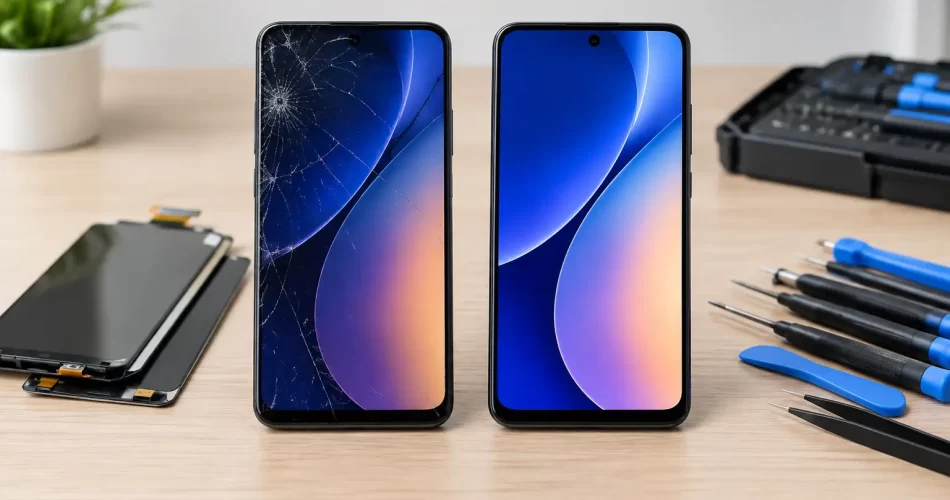
Samsung LCD versus OLED Repair: What Costs More?
A cracked Samsung screen can look like one simple problem, but the repair path changes sharply depending on the panel underneath. Samsung LCD versus OLED repair is not just a question of price. It affects display quality, battery use, fingerprint performance, durability and whether the replacement makes sense for the age and value of your phone.
If your Galaxy has gone black after a drop, is flashing green, has black ink-like patches, or still rings but shows no picture, the panel type matters. The right diagnosis prevents paying for the wrong repair and gets you back to work, messages, banking apps and photos faster.
Samsung LCD versus OLED repair: the key difference
LCD and OLED screens create an image in very different ways. An LCD panel uses a backlight behind layers of liquid crystal. The backlight stays on while the liquid crystals control what you see on screen. OLED panels use individual pixels that produce their own light. When an OLED pixel displays black, it can switch off completely.
That difference is why OLED-equipped Galaxy phones usually have deeper blacks, stronger contrast and slimmer displays. It is also why OLED damage can look more dramatic. A hard impact may leave the glass intact while damaging the panel below, producing green lines, white flashes, purple patches or a completely black display.
An LCD can also fail after a drop, but the symptoms are often different. You may see a bright white area, a dark blotch that spreads, coloured lines, no backlight, or a washed-out image. Both panel types can lose touch response when damaged, although touch faults are not always caused by the screen itself.
Samsung has used both technologies across different Galaxy generations and model ranges. Many premium Galaxy S, Note and Z-series devices use OLED displays, while some entry-level and older models use LCD. Do not assume based on the size of the phone or how expensive it looked when new. A technician should confirm the exact model and panel specification before quoting.
Why OLED repairs usually cost more
OLED panels are thinner, more complex and generally more expensive to source than LCD panels. On many Samsung models, the display is bonded to the touch layer and glass as one assembly. A proper repair commonly means replacing the complete screen assembly rather than trying to change only the cracked outer glass.
The quality of the part also changes the quote. A genuine service-pack display or premium-grade OLED is designed to match the original panel closely for brightness, colour, refresh rate and touch response. Lower-cost aftermarket OLEDs can be a reasonable option on some older phones, but quality varies. You may notice reduced brightness outdoors, different colour tuning, a thicker frame, weaker fingerprint recognition or less reliable touch around the edges.
A cheaper LCD conversion is sometimes offered for an OLED phone. It can lower the immediate repair price, but it comes with real compromises. The display may be thicker, less power-efficient and less vivid, with poorer black levels and potentially slower touch response. In-display fingerprint sensors may not work correctly, and the replacement can alter how the phone sits in its frame.
For a phone you use heavily for work, navigation, video calls or outdoor use in Darwin, the cheapest option is not always the best value. A screen that is hard to read in bright light or drains the battery faster can become frustrating very quickly.
What a proper Samsung screen repair involves
A quality repair is more than fitting a new panel. The phone needs to be opened carefully so the battery, flex cables, cameras, charging coil and motherboard connectors are not damaged. On newer Samsung devices, the screen may be removed from the front or the rear cover may need to come off first, depending on the model and repair method.
The old adhesive must be cleared, and the replacement screen needs to sit flush without pinched cables or pressure points. A display fitted under tension can fail early, lift at the edge or develop touch issues. The technician should test the screen before final sealing, including brightness, touch across the full panel, cameras, earpiece, charging, proximity sensor and fingerprint function where applicable.
Water resistance needs an honest conversation. Samsung phones may leave the factory with strong ingress protection, but opening any device breaks the original factory seal. Fresh adhesive helps restore protection against everyday dust and splashes, yet no repairer should promise the same factory water rating after a screen replacement. Keep a repaired phone away from pools, heavy rain and bathroom steam where possible.
At iSmashed, screen repairs are assessed by the actual fault, not just by the visible crack. That matters when a customer has a damaged display plus a battery issue, bent frame, charging fault or signs of water damage. Fixing the screen without identifying the underlying issue can lead to another failure soon after.
When the screen is not the real problem
A black screen does not always mean the display has failed. Your Samsung may be powered on but frozen, have a flat battery, a damaged charging port, a failed power circuit or a logic board fault. If the phone vibrates, rings, receives notifications or connects to a computer but has no image, the screen is a likely suspect. It still needs testing before parts are ordered.
Likewise, touch problems can come from more than cracked glass. Software faults, moisture under the display connector, frame damage and motherboard issues can all affect touch input. On foldable Samsung devices, hinge wear and internal flexible display damage add another layer of complexity. A crease that turns black, flickers or stops responding is not a simple outer-glass repair.
Water exposure is another reason not to delay. Corrosion can continue after the phone appears to dry out, especially around display connectors and board-level components. If the device has been wet and the screen begins flickering, showing lines or losing touch, switch it off if possible and arrange an assessment. Charging a wet phone can turn a repairable fault into a major board repair.
Choosing between repair, replacement and an LCD conversion
The right decision depends on the phone, the damage and what you need from it. Repair is often the sensible option when the device is otherwise reliable, receives security updates and has enough storage and battery life for your needs. A premium Galaxy phone with a damaged screen can still have plenty of useful life left after a quality display replacement.
Replacement may make more sense when the screen is damaged alongside a failing battery, bent chassis, rear-glass damage and motherboard faults. The combined cost can approach the value of a newer device. This is particularly relevant for older budget handsets where a good LCD replacement may cost a large percentage of the phone’s resale value.
An LCD conversion can suit a customer who needs an older OLED Samsung working again at the lowest possible cost and accepts the trade-offs. It is less suitable for someone who relies on the under-display fingerprint sensor, watches media on the phone, works outdoors or expects original-grade display performance. Ask what panel is being quoted, rather than assuming all screen replacements are equal.
Before handing over your phone, back up your data if the display still works. Remove your SIM if you prefer, know your screen lock code, and tell the technician about any previous repairs, water exposure or intermittent faults. Those details can save time and help protect your photos, contacts and work files.
A cracked screen is inconvenient enough. Get the panel type and the full condition of the phone checked properly, choose a repair grade that fits how you use the device, and you can make a clear decision without paying twice for the same problem.